
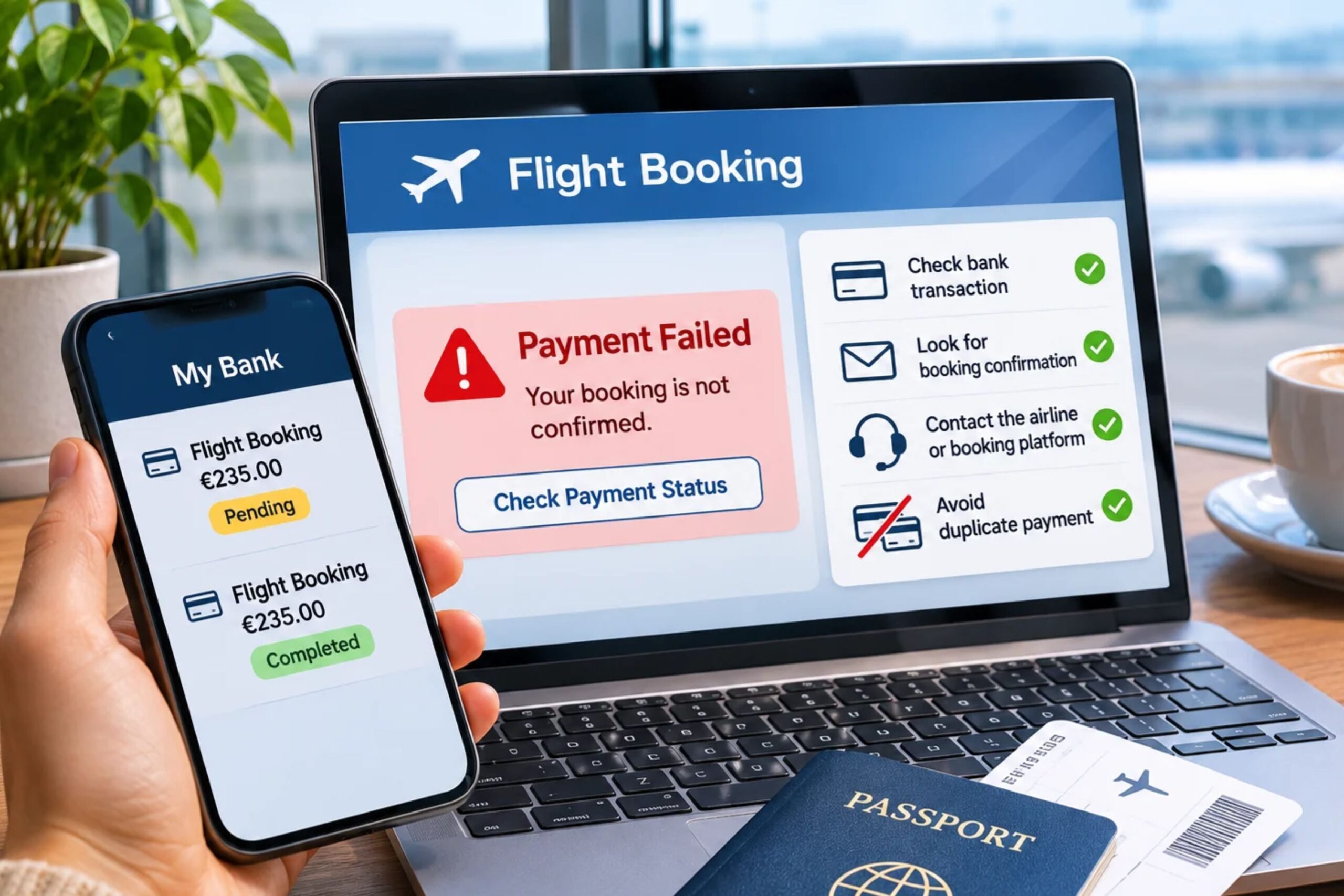
A failed flight booking payment doesn’t always mean the transaction stopped. Your bank may show a deduction even though the airline or booking platform has not confirmed your reservation. If you try to pay again immediately, you could end up with two charges for one flight.
The safest approach is to check the payment status and booking details before starting another transaction. A declined payment, a pending card authorisation and a completed payment require different actions.
1. Do Not Retry the Payment Immediately
When a payment fails, resist the temptation to click the payment button again straight away. The booking platform may still be processing the original transaction, even if the page displays an error.
This can happen when:
- The payment page times out.
- Your internet connection drops during checkout.
- The bank approves the card transaction, but the booking platform doesn’t receive confirmation.
- The payment provider experiences a technical issue.
- The airline or booking website takes longer than expected to update the reservation.
Wait for the page to finish processing and check whether the platform sends a booking confirmation. If the payment status remains unclear, check the first transaction before trying again.
Repeated clicks or new payment attempts can create multiple authorisation requests.
2. Check Your Bank Account or Card Activity
Open your banking app and find the transaction connected to the attempted flight booking.
Pay attention to its status. Banks may display transactions as:
- Pending: The bank has authorised or reserved the amount, but the transaction has not necessarily been completed.
- Completed or posted: The payment has been processed and appears as a settled transaction.
- Declined: The bank did not approve the payment.
- Reversed or cancelled: The authorisation or transaction has been released or returned.
A pending transaction does not automatically mean that the airline received the money. In some cases, a temporary card authorisation appears even when the booking fails.
Check the merchant name, amount, currency and transaction time. If you see two entries, determine if both are completed payments or if one is only a pending authorisation.
Do not assume that a visible deduction confirms your flight reservation.
3. Look for a Booking Confirmation
Check your email inbox, spam folder and the booking platform’s account area. Search for a confirmation message using the airline or travel website’s name.
A successful booking usually generates a confirmation containing details such as:
- Passenger names
- Flight route and dates
- Airline and flight numbers
- Booking reference or reservation code
- Ticket number, if the ticket has been issued
The booking reference helps you locate the reservation with the airline or travel agency. If you cannot find it, check how flight booking reference numbers work and where to look for one.
If you booked through a third-party platform, check your account there as well. The airline may not immediately display a reservation made through another booking provider.
If you have a booking reference, contact the airline or booking platform and ask them to confirm the reservation status before paying again.
4. Understand the Difference Between a Failed Payment and a Failed Booking
A payment error and an unsuccessful reservation are not always the same thing.
There are several possible outcomes:
| Situation | What it means | What to do |
| Payment declined | The bank did not approve the transaction | Check the decline reason before trying another method |
| Pending card authorisation | The bank has reserved the amount, but settlement may not have occurred | Check with the bank and booking provider |
| Payment completed, no confirmation | The money appears to have been collected, but the booking status is unclear | Contact the booking provider before paying again |
| Booking confirmed, payment page showed an error | The reservation may have succeeded despite the checkout message | Verify the booking with the airline or platform |
| Two completed charges | Two payments may have been processed | Contact the merchant and bank to investigate the duplicate |
The key is to establish two separate facts: did the payment go through, and does a valid flight reservation exist?
A payment receipt alone does not prove that the airline issued a ticket. Likewise, a booking reference does not always mean the ticket has been issued. Ask the provider to confirm both the reservation and ticket status.
5. Contact the Airline or Booking Platform Before Paying Again
If your bank shows a deduction but you have no confirmation, contact the company that processed your booking.
Explain what happened and provide the information needed to trace the transaction:
- Passenger name
- Route and travel date
- Approximate booking time
- Payment amount and currency
- Last four digits of the card
- Transaction reference, if available
- Screenshot of the payment status, if requested
Never send your full card number, PIN, password or card security code by email or chat.
Ask the support team to check whether a reservation exists, if the ticket has been issued and if the payment was captured. Also ask if another payment attempt could create a duplicate transaction.
If you booked through a travel agency or booking website, start with that provider. It may control the reservation and payment process, even if the airline operates the flight.
6. Check Whether the First Payment Was Only an Authorisation
One common reason travellers think they have paid twice is a temporary card authorisation.
During checkout, the payment provider may request authorisation from your bank. The bank can temporarily reserve the amount while the merchant completes the transaction.
If the booking fails, the merchant may not capture the payment. The bank then releases the reserved amount according to its processing procedures.
This can make your available balance look lower even though the merchant has not received the money.
Before making another payment, ask your bank whether the transaction is pending or settled. Also ask the booking provider if it captured the original payment.
The time required for a pending authorisation to disappear depends on the bank, card network and merchant. Do not assume that every temporary deduction will be reversed within the same number of days.
7. Keep Evidence of the Failed Transaction
Save the information connected to the first payment attempt. It can help the booking provider or bank investigate the issue.
Keep:
- Screenshots of the payment error
- Bank transaction details
- Emails or messages from the booking platform
- Booking reference, if one was generated
- Payment receipts
- Support conversation references
Record the date and time of the attempt. If you make another payment after confirming that the first one failed, keep evidence of both transactions.
Avoid sharing screenshots that display your full card details or other sensitive information.
8. What to Do If You Have Already Been Charged Twice
If two completed transactions appear for the same booking, contact the airline or booking platform first.
Provide both transaction references and ask the company to investigate whether it processed the same payment twice. If it confirms a duplicate charge, request a refund and ask for written confirmation of the next steps.
If the merchant cannot resolve the issue, contact your bank or card issuer. Explain that you believe the same flight booking was charged twice and provide the evidence you collected.
Your bank can explain the available dispute or chargeback procedure. The process and eligibility depend on the payment method, transaction status and applicable rules.
Do not automatically dispute both payments if one is only a pending authorisation. First establish whether the merchant actually collected the money.
9. Reduce the Risk of Payment Problems During Future Bookings
A few precautions can help prevent payment errors and duplicate charges when booking flights online.
Use a stable internet connection. Avoid switching networks or closing the payment page while the transaction is processing.
Wait for the result. Do not refresh the page repeatedly or click the payment button several times.
Check your payment details. Confirm the card number, expiry date, billing information and available balance before checkout.
Review bank security settings. Some banks require additional verification for online transactions. Check that your card supports the required authentication method and that you can receive verification codes.
Use a suitable payment method. Check which cards and alternative payment options the booking platform accepts. The payment methods available for online flight bookings may vary by provider and country.
Save the confirmation. Keep the booking reference and payment receipt until you have verified that the reservation and ticket are valid.
FAQs
Can my bank deduct money if my flight booking fails?
Yes. Your bank may show a pending card authorisation even if the booking platform doesn’t complete the reservation. Check whether the transaction is pending or settled before making another payment.
Should I try another card if my first flight payment fails?
First check why the original payment failed and confirm that no reservation or completed charge exists. If the bank declined the transaction and the booking provider confirms that no payment or booking was completed, you can consider another payment method.
How long does it take to get money back after a failed flight booking?
There is no single timeframe for every payment. A pending authorisation may be released according to your bank’s procedures, while a completed payment may require a refund from the merchant. Contact your bank and booking provider for the status and expected processing time.
Can a flight be booked if the payment page displays an error?
Yes, this can happen if the payment succeeds but the confirmation doesn’t reach the booking website correctly. Check your email and account, then contact the airline or booking platform to verify the reservation and ticket status before trying again.
What should I do if the airline confirms my booking but my bank shows two charges?
Ask the airline or booking provider to check both transactions and confirm if it collected the same payment twice. If both charges are completed, request a refund for the duplicate. Contact your bank if the merchant cannot resolve the issue.
Is a payment receipt enough to prove that my flight is booked?
No. A payment receipt confirms a transaction, but it does not necessarily confirm that the airline created a reservation or issued a ticket. Check your booking reference and ask the provider to verify the ticket status.